
On PlayStation, Xbox and Switch you press the buttons in order during play. On PC you type the code; GTA 5 needs the console, opened with the ~ key. In GTA 4 and GTA 5 you can also dial a number on the in-game phone. GTA 1 and GTA 2 take the code as the player name.
PlayStation and Xbox: press the buttons during play
Console cheats in GTA are button sequences. Press the buttons in the order shown, quickly, while you are in control of your character. A short message confirms the cheat.
In GTA 5 you can enter codes during play or in the pause menu. Leave the pause menu with Options on PlayStation or Menu on Xbox, not with Circle or B, or the cheat is cancelled. This GTA 5 code is the most used one:
| Cheat | Code | Notes |
|---|---|---|
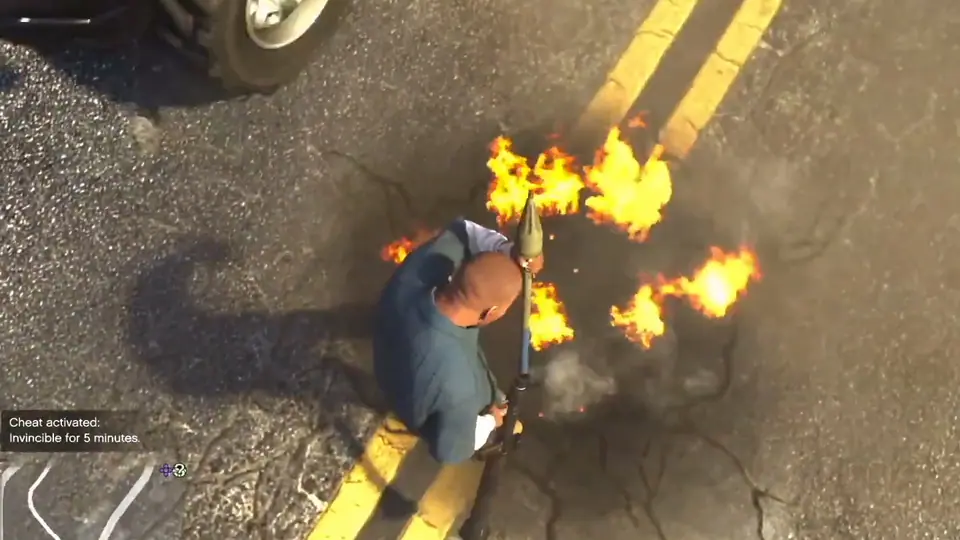 | PlayStation Right, Cross, Right, Left, Right, R1, Right, Left, Cross, TriangleXbox Right, A, Right, Left, Right, RB, Right, Left, A, Y | Lasts 5 minutes |
In GTA San Andreas, Vice City and GTA III, enter codes during play without pausing. The PlayStation codes are the PS2 sequences, and the Definitive Edition on PS4 and PS5 uses the same buttons. San Andreas on the 2015 PS3 port swaps some shoulder buttons; the rows on the San Andreas PlayStation page show both orders.
- PlayStation
- Press the buttons in order during play, without pausing. 'Cheat activated' appears when it works. PlayStation codes are listed in their PS2 form; the Definitive Edition on PS4 and PS5 uses the same buttons.
- Xbox
- Xbox 360, Xbox One and Series codes are listed under Xbox. The original 2005 Xbox has its own list: L1 is the left trigger, R1 the right trigger, L2 is White and R2 is Black.
- Nintendo Switch
- Press the buttons in order during play. If a code refuses to register, try the other controller scheme in the settings and enter it faster.
- PC
- Type the code during play; no console is needed. Both the classic seven-letter codes and the long phrases work, upper or lower case.
- iPhone and Android
- Connect a Bluetooth or USB keyboard and type the PC code during play. On the Netflix Definitive Edition the same keyboard method applies.
On the original 2005 Xbox, the PlayStation shoulder buttons map like this: L1 is the left trigger, R1 the right trigger, L2 is White and R2 is Black. The San Andreas Xbox page lists the original Xbox codes separately.


PC: type the code
On PC you type the code as a word. GTA 5 needs the console: press the tilde key (~, the key left of 1), type the word and press Enter. GTA 5 phone numbers also work on PC.
GTA San Andreas, Vice City and GTA III need no console. Type the code during play, in upper or lower case. San Andreas accepts both the classic seven-letter codes and the long phrases.
| Cheat | Code | Notes |
|---|---|---|
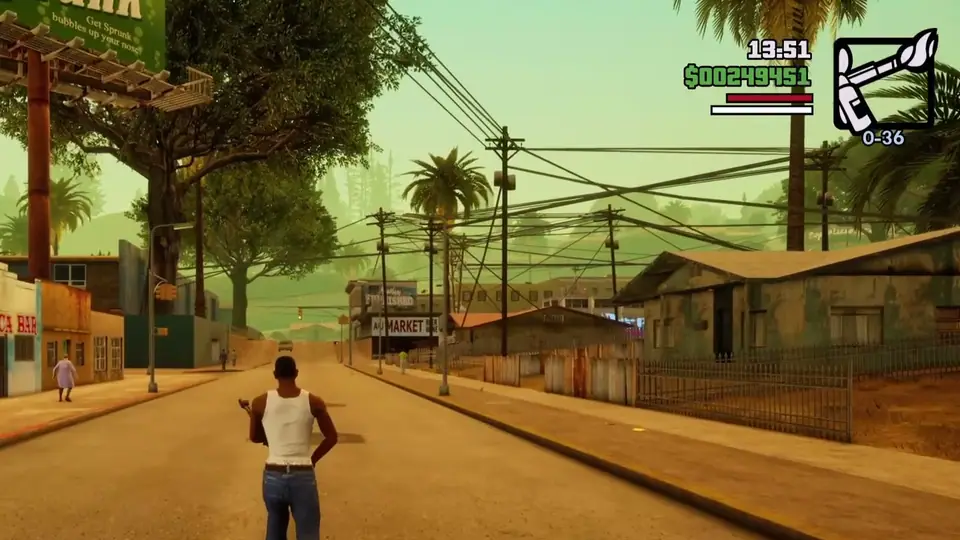 | HESOYAMor INEEDSOMEHELP | None |
Nintendo Switch
GTA III, Vice City and San Andreas on Switch are the Definitive Edition. Press the buttons in order during play. If a code does not register, enter it faster or switch to the other controller scheme in the settings. The San Andreas Switch page has the Switch buttons for every code.
The in-game phone: GTA 4 and GTA 5
GTA 4 cheats are phone numbers on every platform. Press Up to raise the phone, press Up again for the keypad, dial the number and call. The number is then saved under Cheats in the phone menu.
- In-game phone
- Press Up to raise the phone, press Up again for the keypad, dial the number and call. 'Cheat activated' appears, and the number is saved under Cheats in the phone menu for reuse. Works the same on PS3, Xbox 360 and PC, and on Johnny's and Luis's phones in the episodes.
In GTA 5, press Up to raise the phone, open Contacts, show the keypad (Square on PlayStation, X on Xbox, Space on PC), dial and call. Phone cheats do not work on PS3 and Xbox 360. All 36 numbers are on the GTA 5 phone numbers page.


Mobile
On iPhone and Android, San Andreas, Vice City and GTA III take the PC codes from a Bluetooth or USB keyboard. Chinatown Wars works differently: go to a safehouse and arrange the letters on the whiteboard to spell the code. The free Lite version of Chinatown Wars does not accept cheats.

Name entry: GTA 1 and GTA 2
The first two games take codes as the player name. In GTA 2 on PC, start a new game, type GOURANGA as the player name and confirm, then delete it and enter the cheat word as the name. On PlayStation and Dreamcast, enter the word on the name entry screen. The codes stay active for that save profile.
- PC
- Start a new game, type GOURANGA as the player name and confirm, then delete it and enter the cheat word as the player name.
- PlayStation (PS1)
- Enter the cheat word as the player name on the name entry screen.
- Dreamcast
- Enter the cheat word as the player name on the name entry screen.
When a code does not work
- Enter it faster. Slow presses often do not register.
- Check the edition. Some codes exist only on one edition, and the Notes column on each cheat page says which.
- In GTA 5, leave the pause menu with Options or Menu, not Circle or B.
- In the Definitive Edition of San Andreas, Vice City and GTA III, a few original codes were removed. The Definitive Edition guide lists them.
Questions
Where do you enter cheats in GTA 5?
On PlayStation and Xbox, press the buttons during play or in the pause menu. On PC, press ~ to open the console and type the word. On any platform except PS3 and Xbox 360 you can also dial the number on the in-game phone.
Do you need to pause to enter a cheat in San Andreas?
No. Enter San Andreas codes during play, without pausing. The message Cheat activated shows when it works.
Why does a cheat not work?
The usual reasons are pressing too slowly, using a code from another edition, or a code the Definitive Edition removed. In GTA 5, leaving the pause menu with Circle or B cancels the cheat.
How do you enter cheats on GTA San Andreas mobile?
Connect a Bluetooth or USB keyboard and type the PC code during play. The same keyboard method works in the Netflix Definitive Edition.
Images: Rockstar Games. The cheat pictures are frames from YouTube videos by Bolukkz, GTA BOOM, GTA Series Videos and gta4.net, via GTA Wiki.